
The lookup routine
Plenty of people will not start a film without checking its IMDb rating first. On Netflix that means a routine: spot a title, open a new tab, search IMDb, read the score, come back, and do it again for the next one. One person on Blind summed it up in a post asking Netflix for ratings: "Hate when i have to go and google movie ratings all the time."
The same routine comes up again and again on Reddit:
- On r/netflix, someone said they spent most of their time checking IMDb ratings and ended up watching nothing.
- On r/netflixindia, one person described checking IMDb before watching anything, and giving up after nine of the first ten titles they looked up scored low. Another checks IMDb and Rotten Tomatoes outside Netflix before choosing.
- On r/imdb, one person asked how to find every Netflix series on IMDb, because they could not compare ratings inside Netflix's app. Another hoped Netflix would one day put IMDb ratings on its title pages.
What Netflix shows instead
Netflix has its own thumbs up and thumbs down, and each title's maturity rating. When I went through what Netflix's website actually carries for a title, in September 2026, that was it: no IMDb id and no outside score of any kind, from IMDb, Rotten Tomatoes or anyone else.
To be fair, not everyone wants a number. In one 2026 r/netflix thread about checking ratings before choosing, the most upvoted reply came from someone who judges a film by its cover, well ahead of the replies describing IMDb-first routines. Ratings are a habit some people have and others do not, and that is fine.
The workarounds
- Search each title. It works. It is just slow, and it is the routine above.
- Start on IMDb instead. Since March 2026, people on r/imdb report, IMDb's Watch Options filter includes Netflix, so you can browse IMDb by what is on Netflix and then go and find the title.
- What's on Netflix's library. Its library pages let you filter Netflix's catalogue by IMDb score.
- A browser extension. Several put IMDb ratings on Netflix, including Trim, BingeRated and Sift. Mine is one of them, below.
How TidyWL for Netflix does it
I build TidyWL for Netflix (on the Chrome Web Store as Watch Later Tidy for Netflix), so take this part with that in mind.
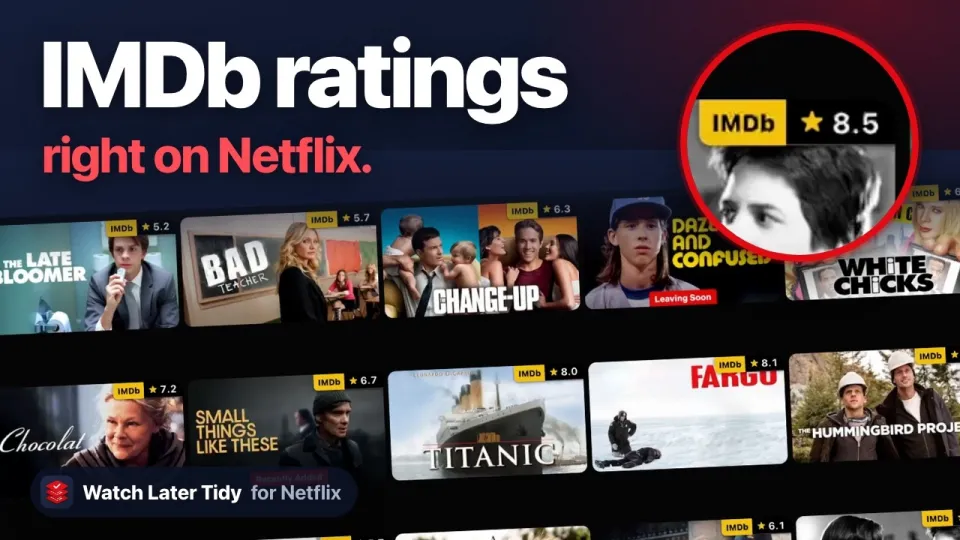
It puts IMDb ratings on Netflix's own pages. On the home page, in search and in every category, each title's art carries its IMDb rating in the top-right corner. Click the rating and the title opens on IMDb. A title with fewer than 100 votes on IMDb gets no rating, because a thin rating misleads more than it helps.
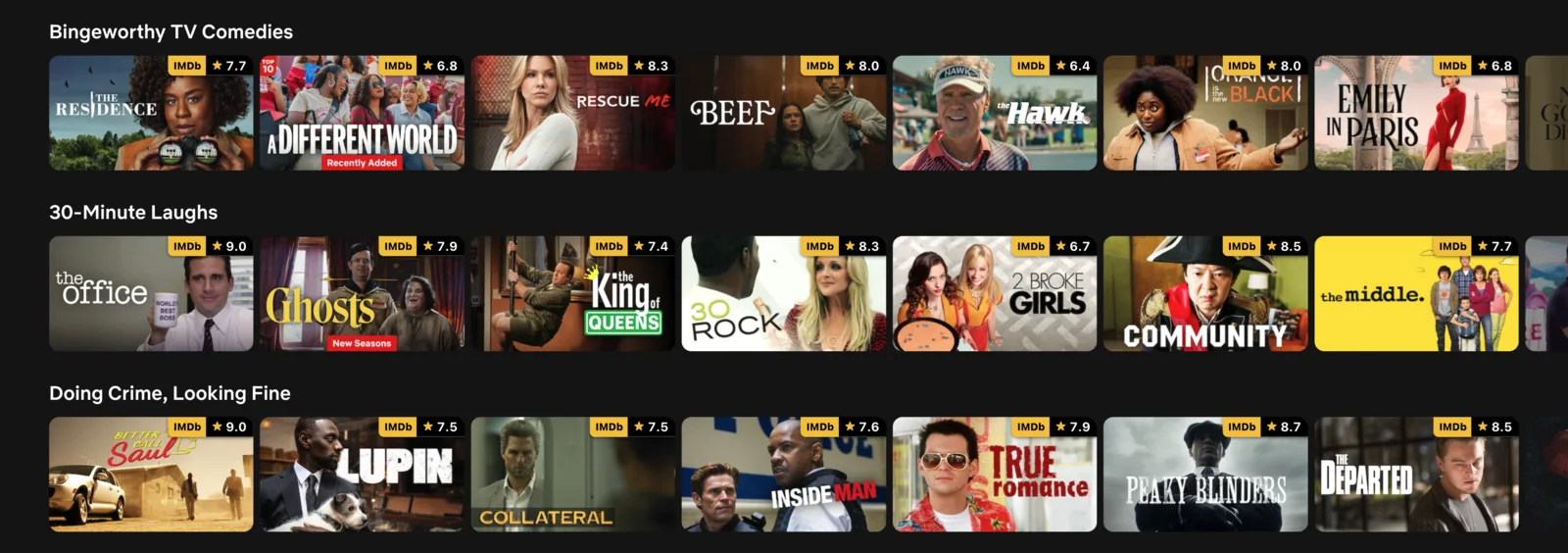
Press Alt+L and the dashboard goes further. Every card in My List carries the IMDb rating next to the runtime, the year, the genre and the maturity rating. You can filter to a minimum IMDb rating and sort by it, and the same goes for a search or a category.
Where the numbers come from, since it matters: IMDb's public daily ratings file, with Netflix's numeric title ids matched to IMDb through Wikidata. To draw the ratings on Netflix's pages, the extension sends the ids of the titles on your screen to a ratings table on tidywl.com, which answers with their IMDb ratings. Ids only, with nothing that identifies you. The privacy policy lists every request.
It is free, needs no account, and runs in Chrome on a computer, not on a TV or a phone. It is not made by or affiliated with Netflix or IMDb. Add Watch Later Tidy for Netflix to Chrome.
 1:29
VideoHow to See IMDb Ratings on NetflixThe ratings on Netflix's home page, in search and in categories, then filtering My List by them.
1:29
VideoHow to See IMDb Ratings on NetflixThe ratings on Netflix's home page, in search and in categories, then filtering My List by them.