
Free Chrome extension for Netflix
Tonight's movie, decided
IMDb ratings right on Netflix's title cards, and filters that cut hundreds of saved titles down to the three you would actually watch. With Pro, Tonight does the picking: say who's watching, how long you have and your mood, and it deals one title and two backups from your own list.
 Add to Chrome
Free, no account. Works in Chrome on a computer.
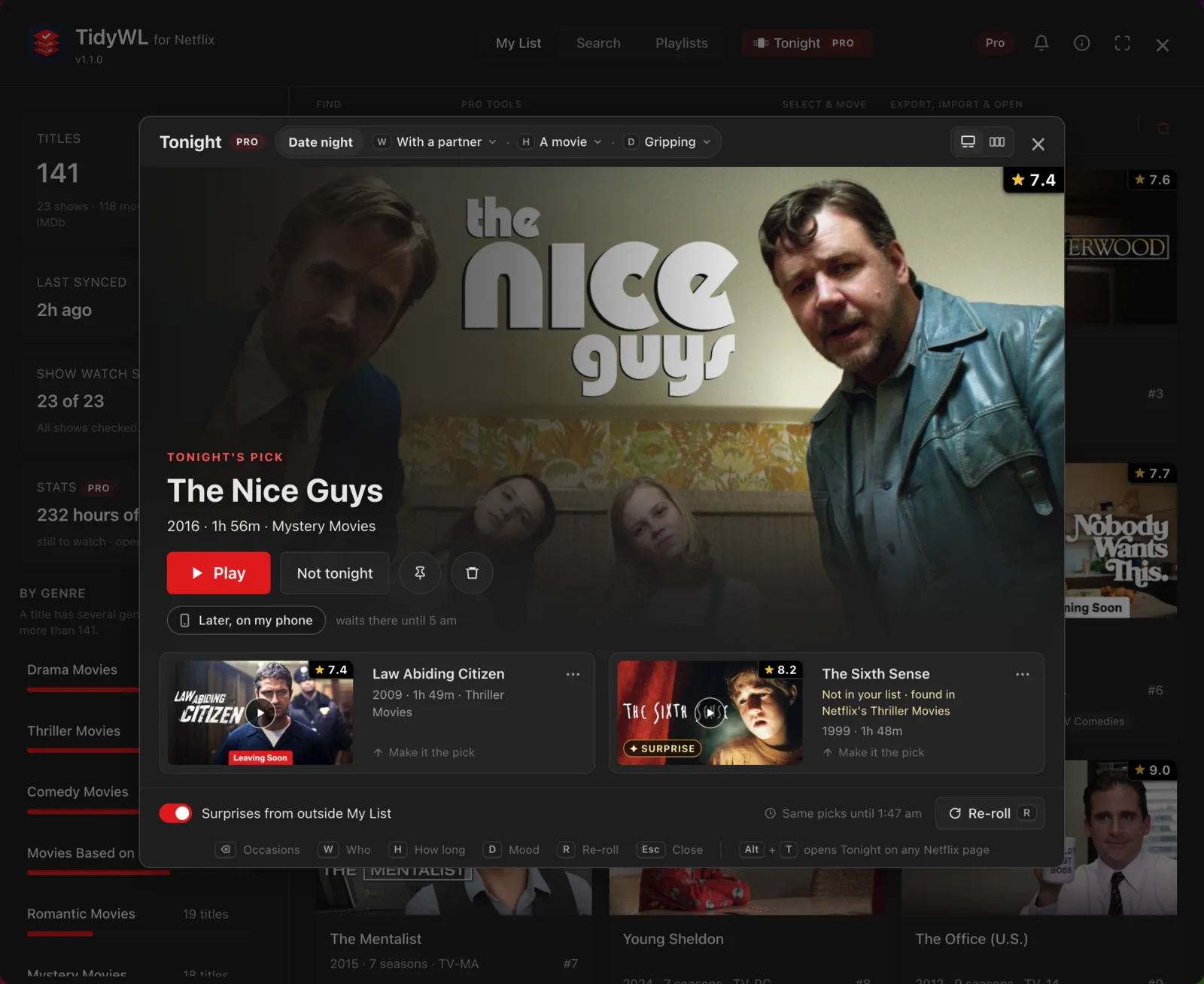
Tonight, in Pro: one pick and two backups, opened over Netflix with Alt+T. Titles are from a test profile.
The difference
Netflix gives you one list. That is the whole feature.
On Netflix: since September 2026, My List is one row inside My Netflix that you scroll sideways.
With TidyWL: the original My List page, rebuilt and back in Netflix's menu, every title on one page.
On Netflix: no IMDb rating anywhere. Is it any good? That is another tab.
With TidyWL: the IMDb rating on Netflix's own title cards — the home page, search and every category.
On Netflix: one flat list, in an order you did not choose and cannot change.
With TidyWL: sort by IMDb rating, runtime, year, title or type — and see what you have already watched.
On Netflix: no folders. Everything you ever saved sits in the same place.
With TidyWL: custom playlists — Weekend, Under 90 minutes, With the kids — five free, up to 50 with Pro.
On Netflix: no search inside My List. The bar at the top searches all of Netflix.
With TidyWL: search your own list, then narrow it by genre, type, IMDb rating, runtime or watch state.
On Netflix: you cannot tell what is in your list without scrolling all of it.
With TidyWL: a breakdown by genre, biggest first. Click one to see only those.
On Netflix: removing a title is a hover, a menu and a click. One title at a time.
With TidyWL: tick as many as you like, see the exact list, and remove them in one run.
Back in Netflix's menu
Netflix's original My List page, rebuilt
Netflix turned My List into one sideways row inside My Netflix. TidyWL does not stretch that row into a grid. It rebuilds the page Netflix took away: a My List link back in Netflix's own top menu, beside My Netflix, opens the My List page as it was, every title on one page as a card with Netflix's own artwork, in Netflix's order, scrolled down rather than sideways. Rest the pointer on a card and Netflix's own preview opens; click it and the title opens in Netflix's own view.
It adds three things and nothing else: the IMDb rating on each card, a Leaving soon label on titles the dashboard's last Sync found leaving Netflix, and one button into the dashboard. The page reads your list fresh each time, so there is nothing to sync.
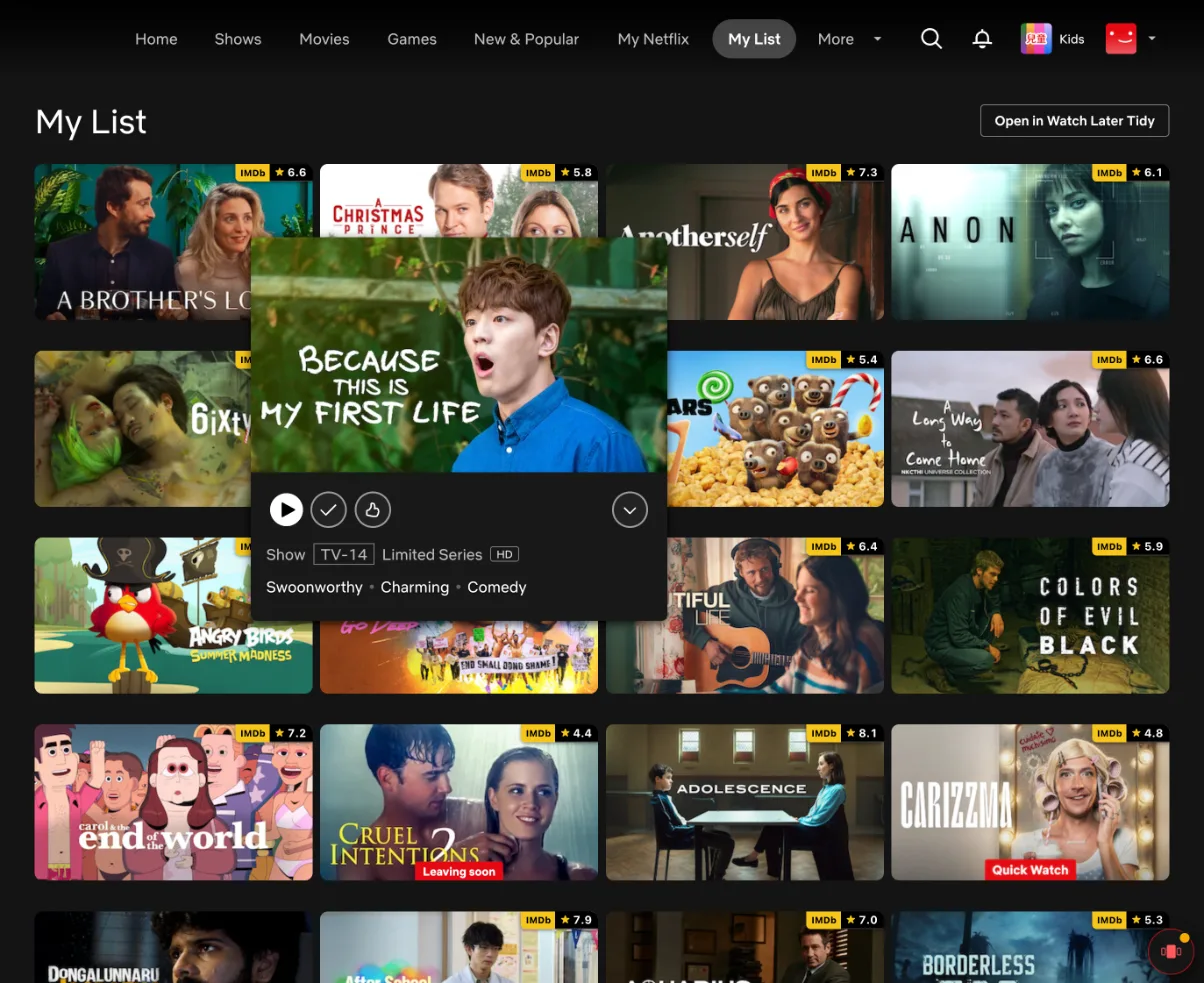
The original My List page, rebuilt, on a test profile. Free, from version 1.3.0. How to get it back.
On Netflix itself
An IMDb rating on every title card
No dashboard needed. On Netflix's home page, in search and in every category, each title's art carries its IMDb rating in the top-right corner, and a click opens the title on IMDb. A title with fewer than 100 votes gets no badge: a rating from a handful of people misleads more than it helps.
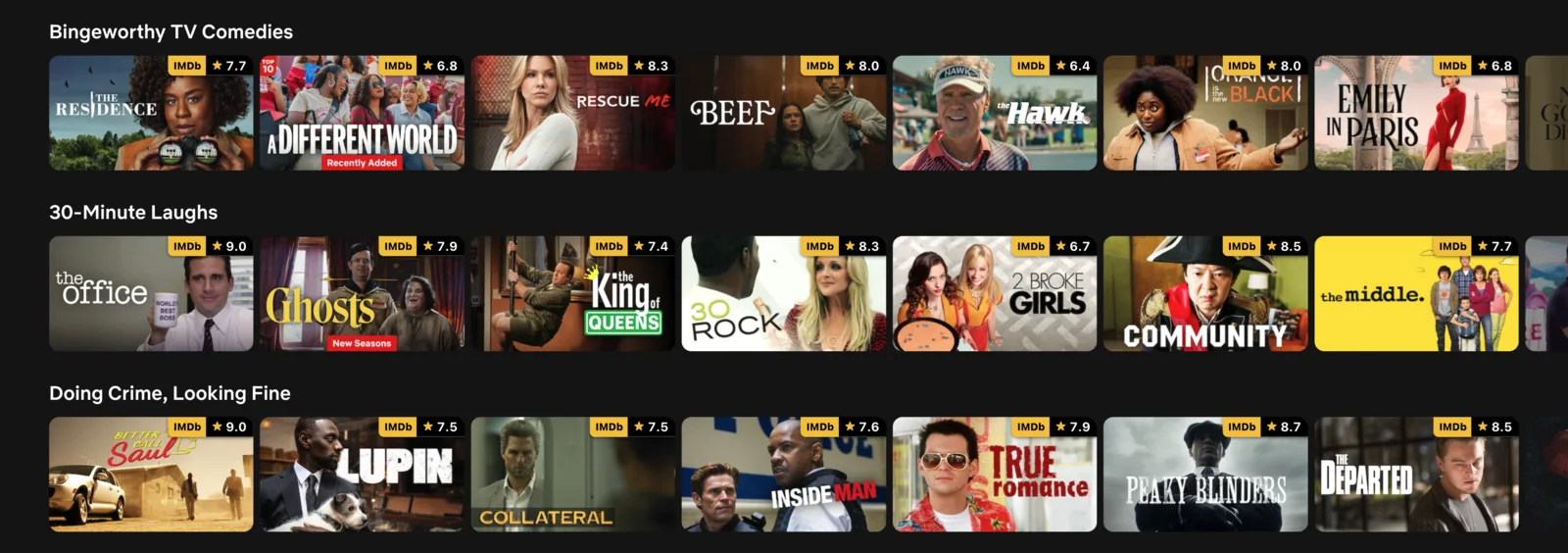
Netflix's home page with the extension installed. Free, from version 1.1.0.
Inside the dashboard
Three tabs
My List
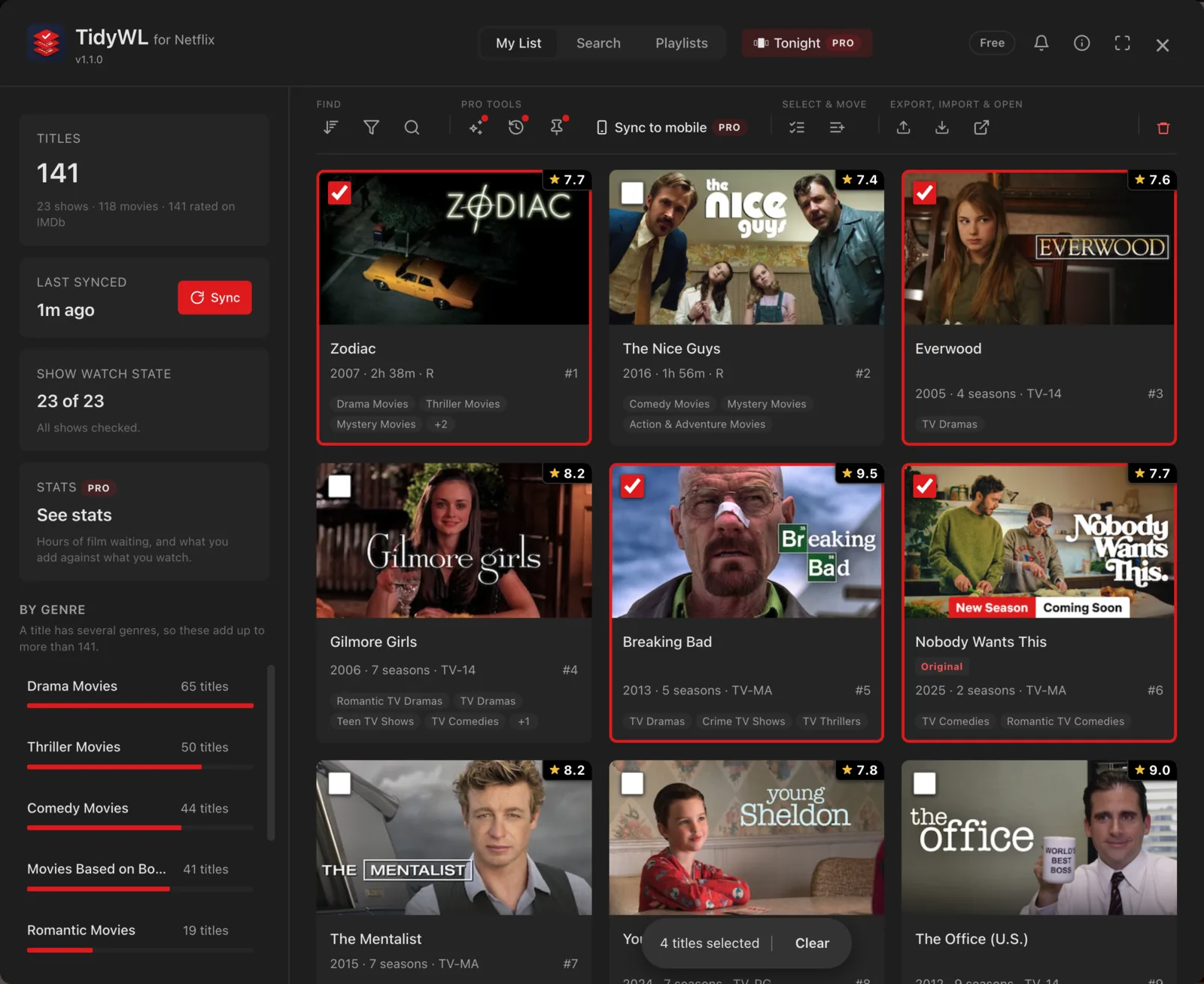
Your saved titles as a grid you can actually work with. Press Sync once and the whole list is read — including which shows you have finished and which films you left partway — and kept. Opening the dashboard after that makes no requests at all.
- IMDb rating on every card, with runtime, year, seasons and maturity
- Genre breakdown down the side, biggest first, click to filter
- Watched, started, never watched — as a filter, for films and shows
- Bulk remove, with the exact list shown first and a receipt afterwards
- Pin the titles you actually mean to watch, so nothing removes them by accident (Pro; unpinning is free)
- Export the list, or just what you filtered to, as CSV or JSON
Search and browse
Netflix's catalogue, searchable and browsable without leaving the dashboard — and with the categories Netflix keeps out of its own genre picker. More than a hundred of them, from Mockumentaries to Satanic Stories, sitting behind one menu. Rest the pointer on any result and a panel opens beside it with the synopsis, the cast, the director and the genres.
- Search Netflix by title, and by actor or director
- Browse by genre, including the hidden categories
- IMDb ratings here too, on search results and genre pages
- Add to My List from any card, one title or a whole page of them
- Or straight into a playlist, without adding to Netflix at all
- An honest answer when Netflix did not recognise what you typed
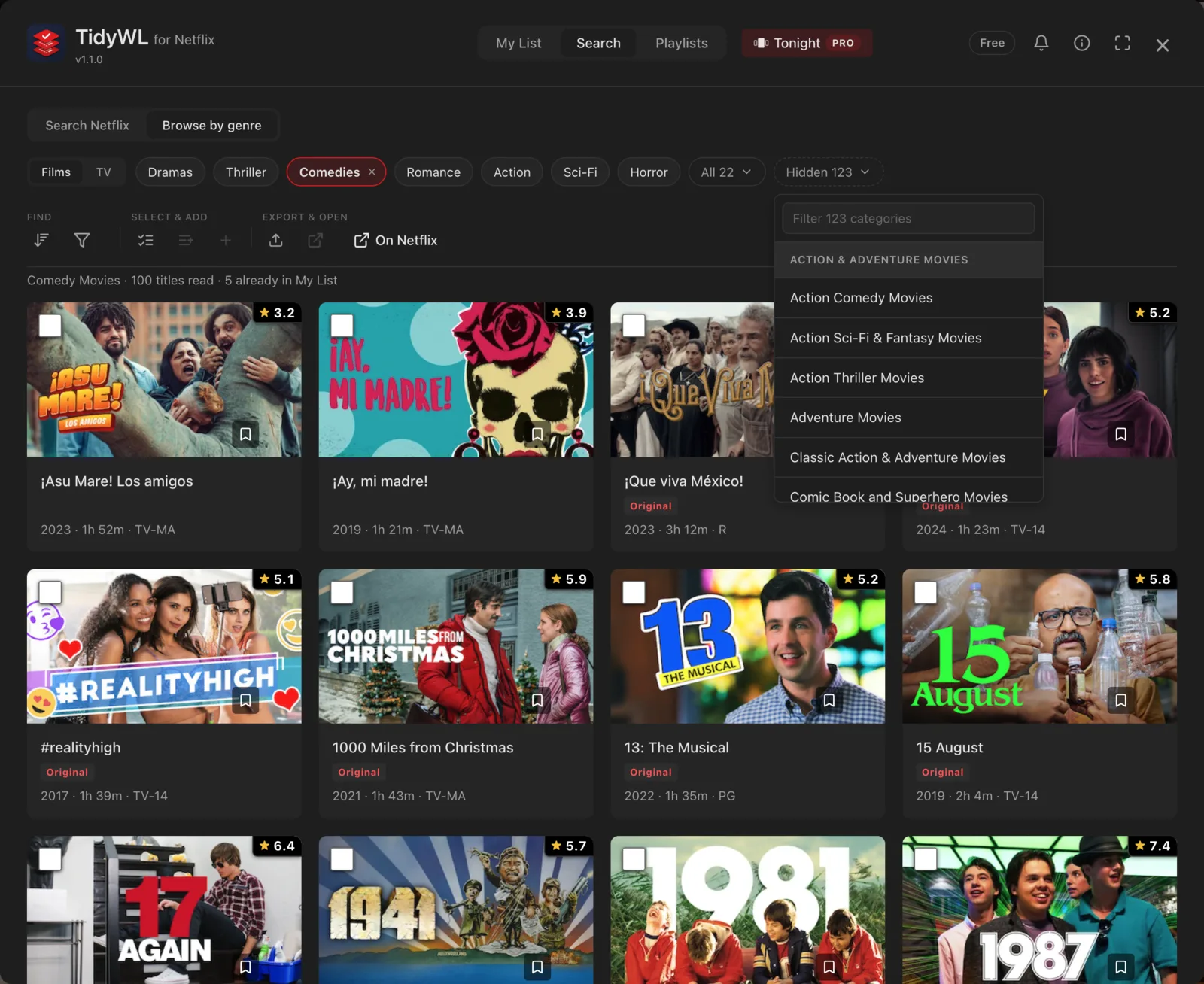
Browse by genre, with the Hidden menu open. Netflix's own picker lists 22 film categories on this profile — the menu holds 123 more.
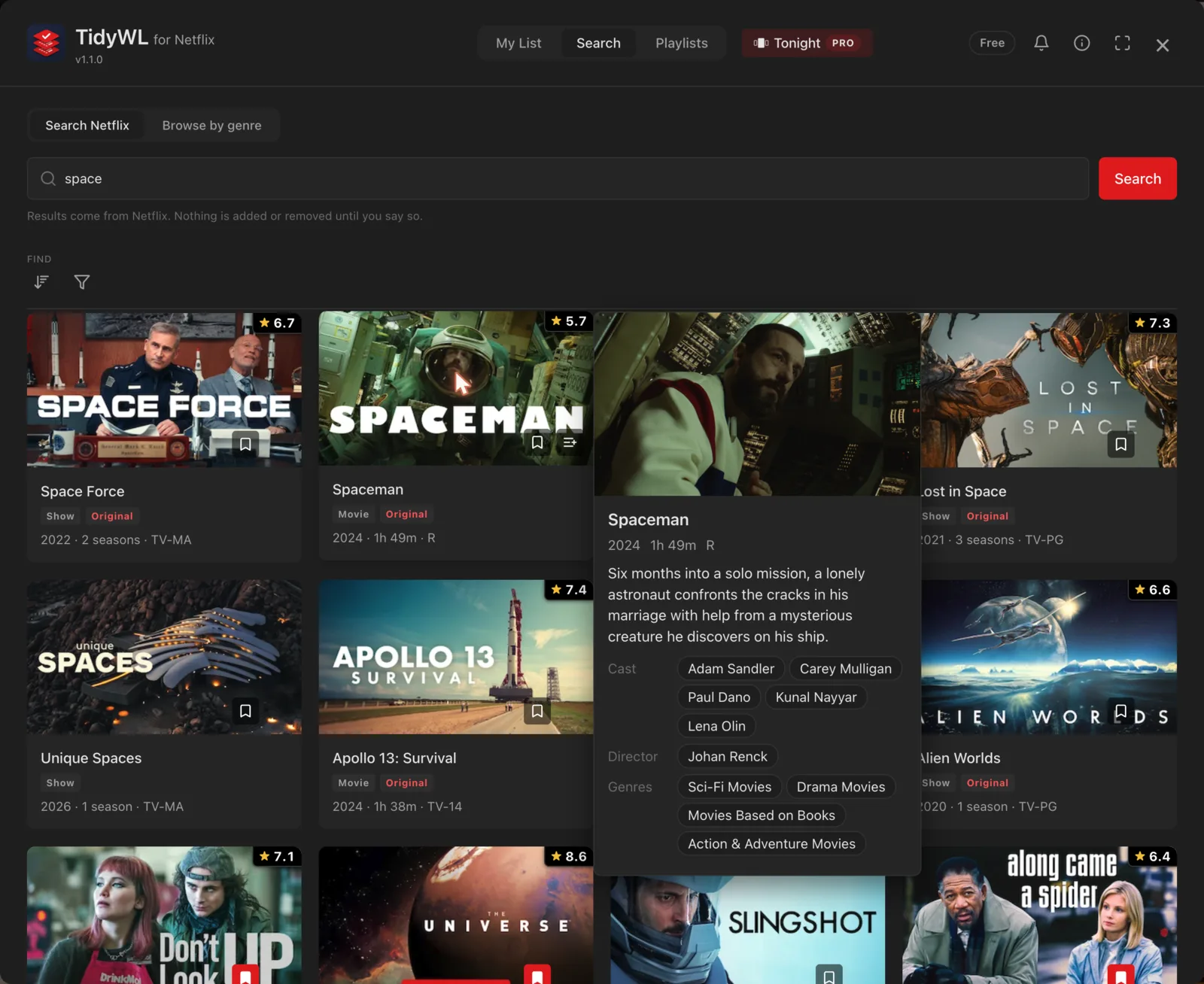
Search, with the preview panel open on a result — synopsis, cast and genres without leaving the dashboard.
Playlists
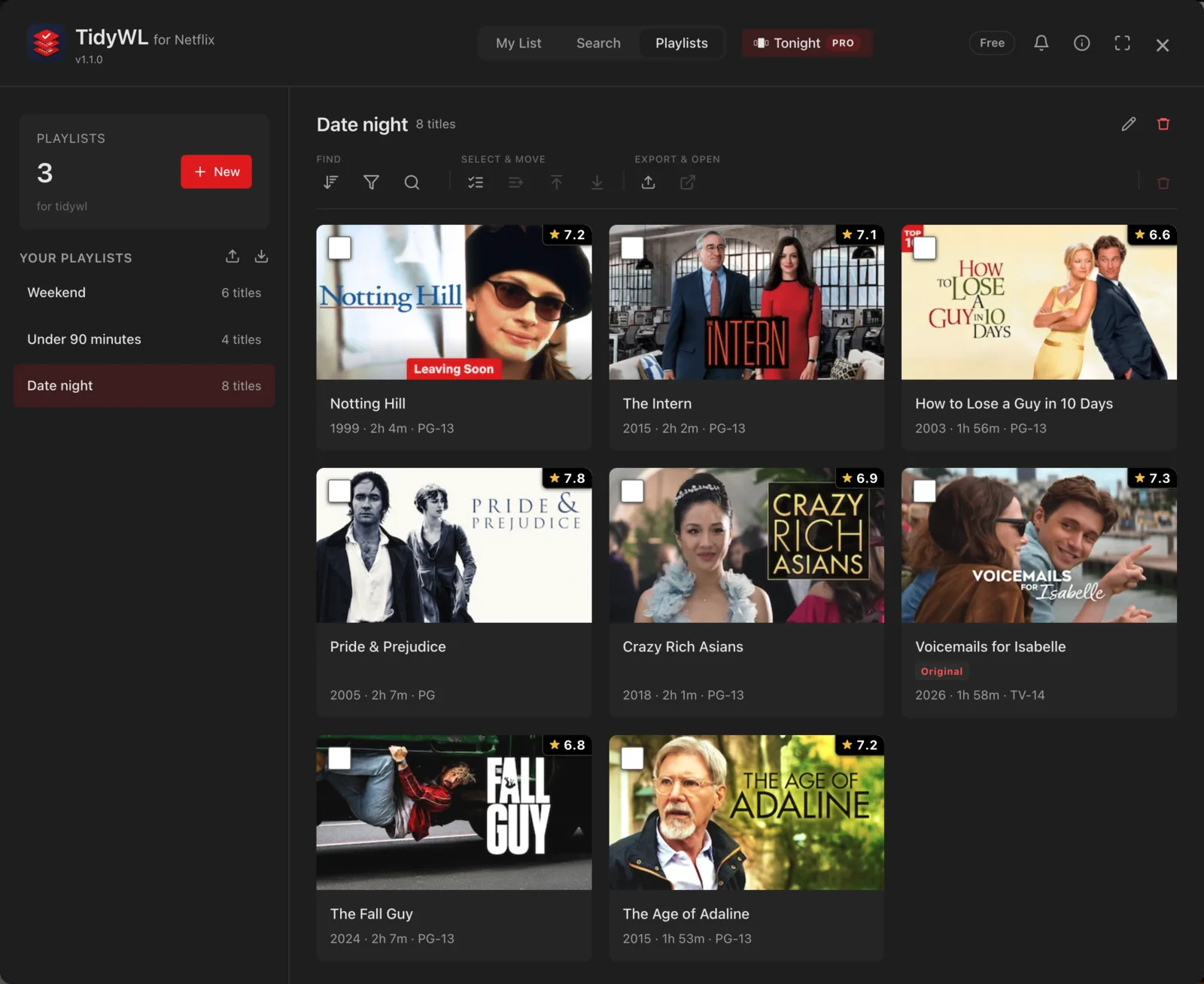
The folders Netflix has never given you. Make five of them free, up to fifty with Pro, move or copy titles in from My List or from search, and reorder them. They belong to the Netflix profile you made them on, so the kids profile never sees yours.
- Copy leaves the title in My List; Move takes it out
- Five playlists free, up to 50 per profile with Pro, 500 titles in each
- Carried between your own Chrome browsers by Chrome's own sync
- Nothing is written to your Netflix account — playlists are yours alone
TidyWL Pro
Pro does it for you, remembers it, or undoes it
The dashboard, the ratings and five playlists are free, and stay free. Pro is an optional subscription for what you would rather not do by hand. It is a key, not an account: no password, and Paddle takes the payment.
- Tonight — say who's watching, how long you have and your mood, and get one pick and two backups from My List
- Pin — a pinned title is never removed by a rule, a Move or a bulk remove
- Undo — anything you remove from My List can be put back for 90 days
- Stats — hours still waiting, and what you add against what you watch
- Clean-up rules — what you have watched into one playlist, what has waited six months into Someday
- Mobile sync — your playlists in every browser you use, and on your phone
- Up to 50 playlists a profile, instead of five
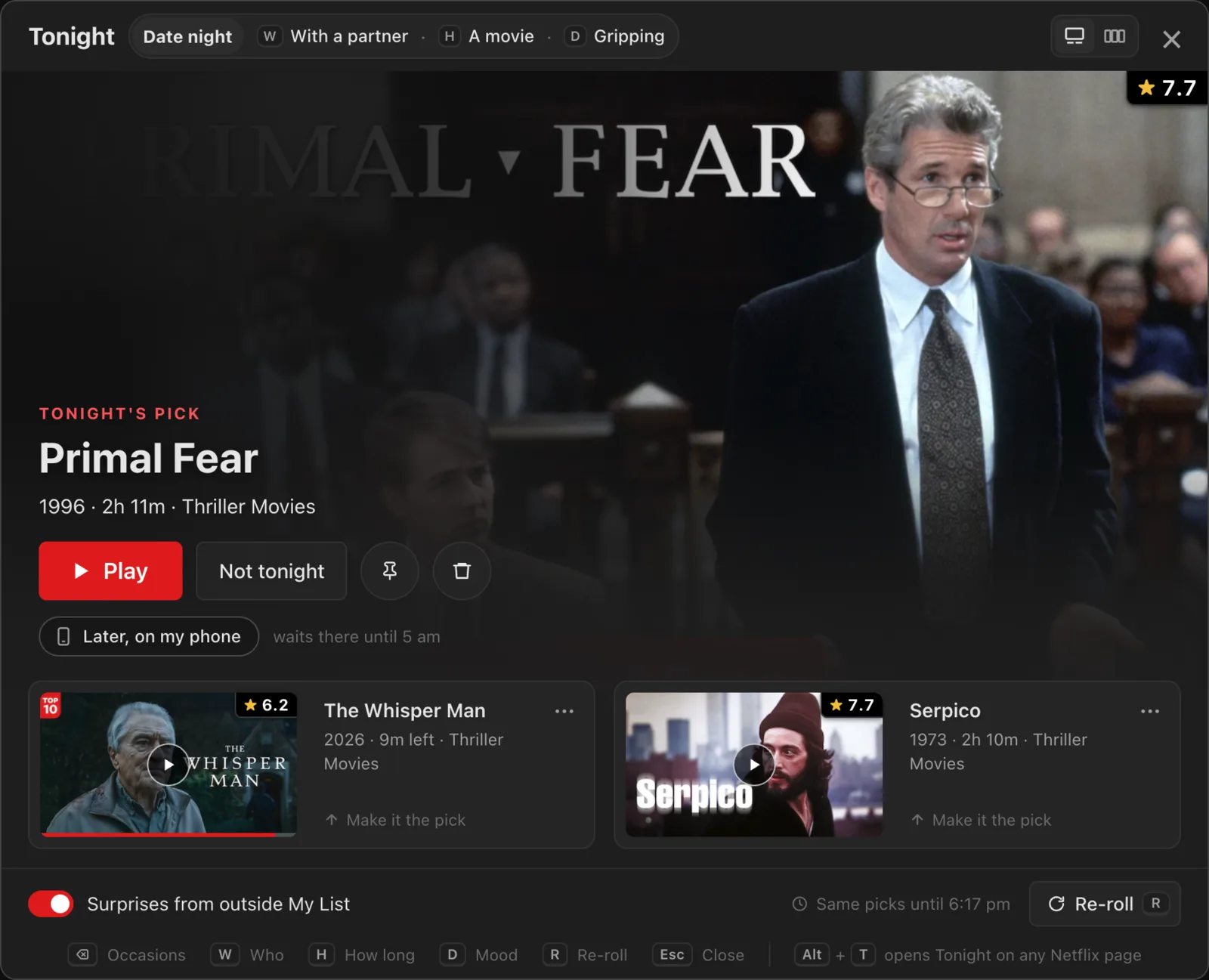
Tonight: one pick and two backups, each with its reason.
Getting started
Three steps, about a minute
Add it to Chrome
Free, and there is no account to make. It only ever runs on netflix.com.
Open Netflix and press Alt+L
From any browse page, on any profile. The toolbar button does the same thing if you would rather click.
Press Sync, once
It reads your list and your watch state and keeps them. Every time you open it after that, it opens instantly and asks Netflix for nothing.
Privacy
Your Netflix data stays in your browser
There is no account and no sign-in. Your list, your watch state and your searches are never sent to us, and neither are your playlists unless you switch on Pro sync. What is sent is a count of how much you use it — never of what.
- No sign-in, no account, no API key. It reads Netflix through the session you are already signed in with.
- A usage report of counts, and nothing else. A random install id and lifetime totals — titles removed and added, searches run, days opened, My List size. Never a title, a search term or a profile. No third-party analytics.
- Five other requests leave your browser, none about you: a public settings file, IMDb's public ratings file, title ids sent to Wikidata to look up IMDb ids, a title's name sent to IMDb's search and Wikidata's where its id finds nothing, and the ids of the titles on your screen sent to our ratings table for the badges.
- Your list, watch state, pins and playlists are stored per Netflix profile, and uninstalling removes everything.
- Pro sync is off until you switch it on. Then that browser sends the open profile's playlists and the profile's name to tidywl.com, for your other browsers and your phone. Your key never reaches the phone.
Read the full privacy policy — it lists every request, every stored key, and why each permission is asked for.
Questions
Before you install
Built because My List was where things went to be forgotten
TidyWL started as an extension for YouTube's Watch Later, for the same reason: a list you keep adding to and never take anything out of. Netflix's version of the problem is worse, because there is not even a search box. The Watch Later one is here if that is the list that is out of hand.