
Gone before you got to it
Titles leave Netflix every month, and which ones depends on the country you watch in. Most of the time you would not notice. It stings when it is something you saved to watch later.
In September 2026, a thread on r/netflixuk asked why Netflix keeps removing the films people actually want to watch, and drew dozens of replies. Its author said they usually only notice "when Netflix tells me I have four days left." Others have posted on r/netflixindia about a comfort show leaving, or to warn everyone of a film's last day.
And when Netflix turned the My List page into a single row in September 2026, one of the things people said they missed most was spotting what was about to leave.
What Netflix shows you
Netflix does warn you, in its own way. When I looked at what its website carries for a leaving title, in late September 2026, there were two signs:
- A sentence on the title, such as "Last day to watch on Netflix: October 5", which you see when you open the title's details.
- A "Leaving soon" badge printed onto the artwork of some leaving titles.
There was no date anywhere apart from that sentence. Netflix also ran a category of titles leaving soon for a while, but What's on Netflix reported in June 2026 that Netflix had dropped its "Last Chance to Watch" code after less than a year.
What I have not found on Netflix's website is one place that shows only the titles on your list that are leaving. You find out title by title, if you happen to look at the right one in time.
The workarounds
- Monthly leaving lists. What's on Netflix publishes everything leaving each month, sorted by date, such as its October 2026 list, and several other outlets run their own. Then you check it against your list by hand. Bear in mind what leaves depends on your country.
- Open your saved titles one by one and look for the last-day sentence.
- Keep your own record. One person described keeping a spreadsheet of their queue because titles kept disappearing. It works, as long as you keep it up.
How TidyWL for Netflix handles it
I build TidyWL for Netflix (on the Chrome Web Store as Watch Later Tidy for Netflix), so weigh this part accordingly.
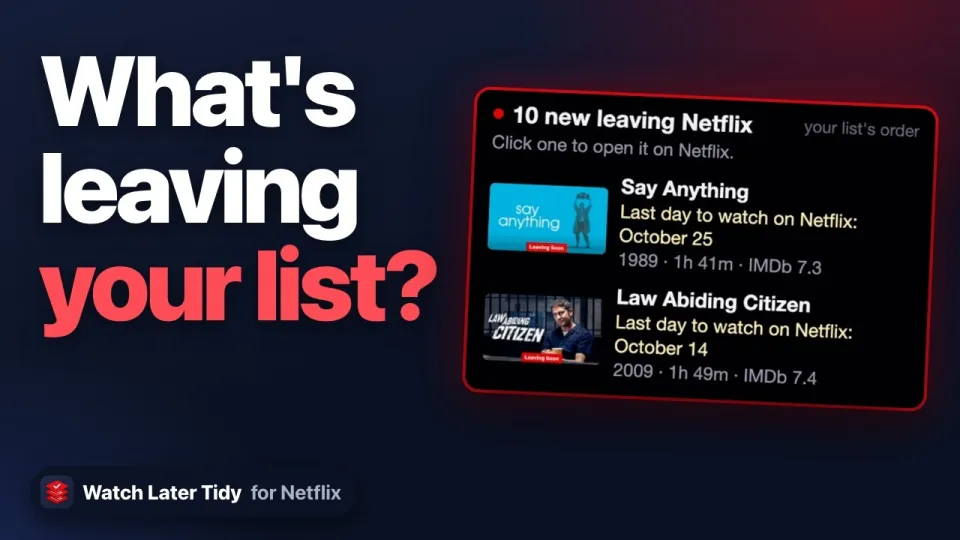
Press Sync in the dashboard and it marks every title in your My List that Netflix is about to remove, with Netflix's own sentence under it, such as "Last day to watch on Netflix: October 5". One filter shows only those titles. The toolbar button keeps count too: its red number shows how many started leaving since you last looked, and its popup lists them with their pictures. All of that is free.
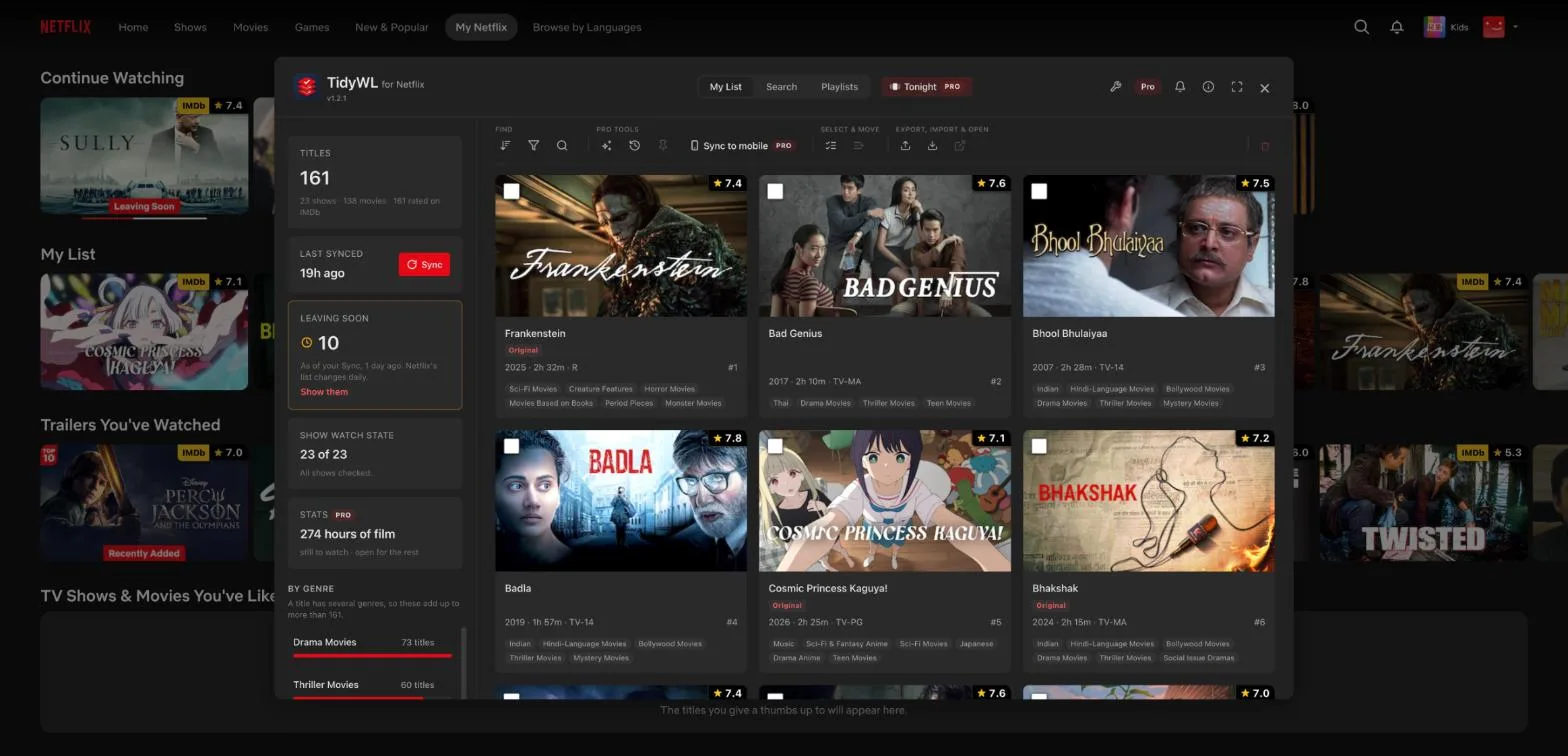
With Pro, the dashboard also tells you when a title starts leaving, and Tonight gives a leaving title a small nudge, so it is more likely to come up while you can still watch it.
Three honest limits:
- It knows what Netflix says, no sooner. The sentence is Netflix's own, read at Sync, so it never knows earlier than Netflix does. There is no pop-up notification on your computer.
- It is as of your last Sync. Netflix changes its list daily, so Sync again every few days to keep it current.
- It shows what Netflix says for your country, because that is where your list is.
It runs in Chrome on a computer, needs no account, and is not made by or affiliated with Netflix. Add Watch Later Tidy for Netflix to Chrome.
 0:58
VideoWhat's Leaving Netflix From Your List?One Sync, and every title on your list that is leaving, with its last day.
0:58
VideoWhat's Leaving Netflix From Your List?One Sync, and every title on your list that is leaving, with its last day.