
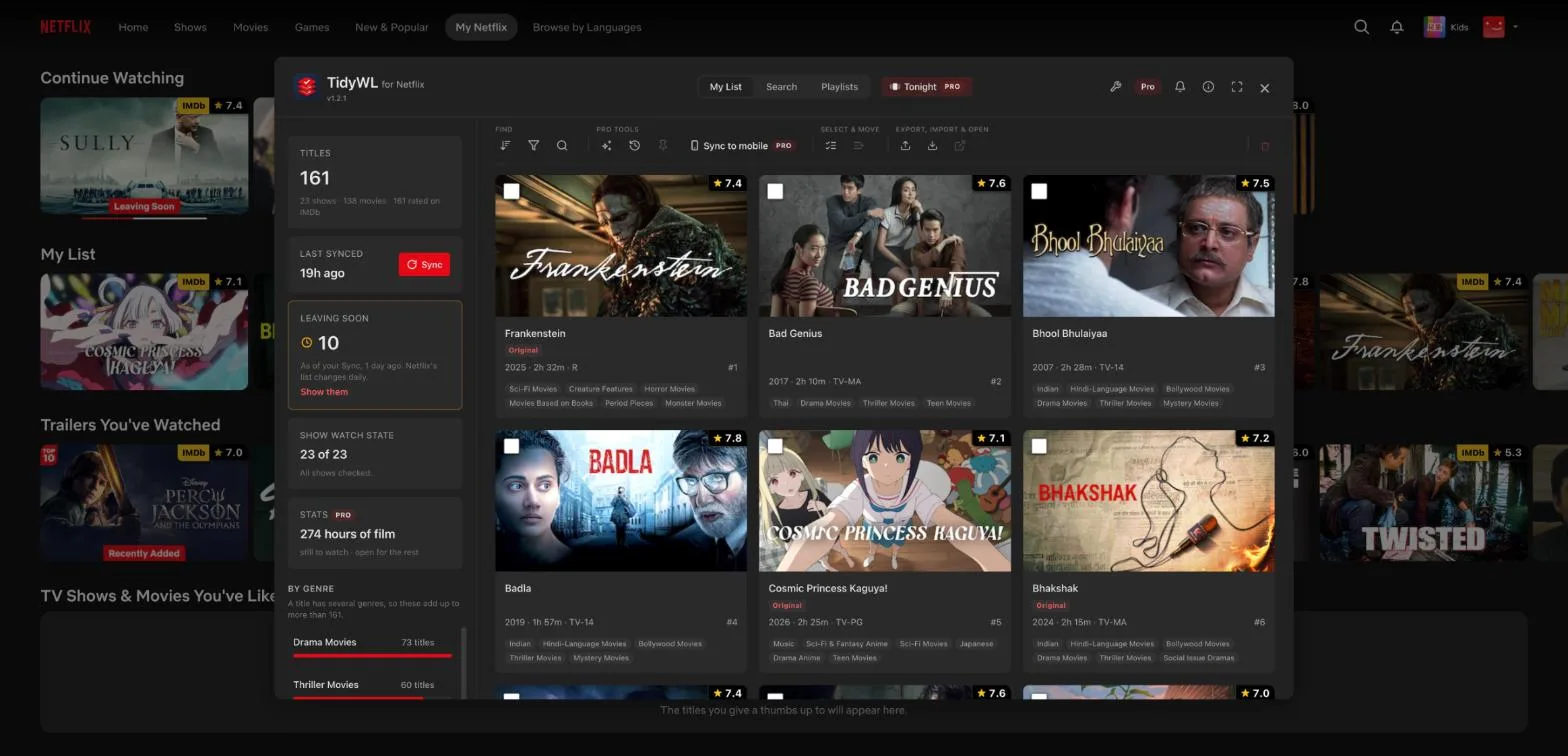
The short answer: there is no known way to bring Netflix's old My List page back. On a computer, the free Chrome extension TidyWL for Netflix (listed on the Chrome Web Store as Watch Later Tidy for Netflix) shows every title on your My List at once, as a grid of cards you can filter and sort. Press Alt+L on any Netflix page to open it.
What changed
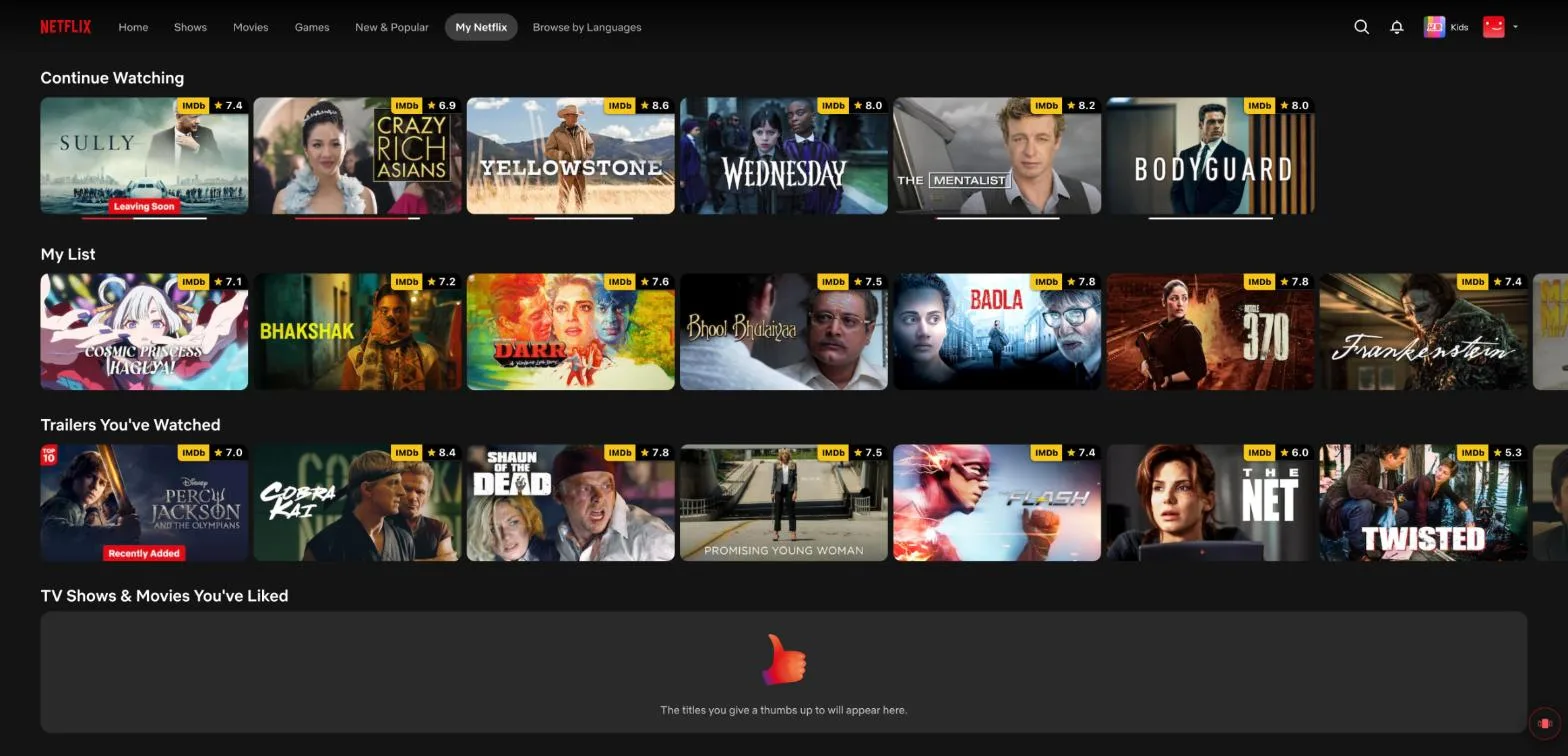
Around September 15, 2026, Netflix's website replaced the My List page with My Netflix. My List is now one row on that page, between Continue Watching and Trailers You've Watched, and you scroll it sideways a few titles at a time with the arrows at its ends. People who kept long lists lost the one screen where they could see everything they had saved, and spot what was about to leave Netflix. More on that in What happened to Netflix's My List page.
See every title at once, in four steps
- Add the extension. Add Watch Later Tidy for Netflix to Chrome. It is free and there is no account to make.
- Open Netflix. Go to netflix.com in Chrome and choose your profile.
- Open the dashboard. Press Alt+L on any Netflix page (Option+L on a Mac), or open it from the extension's toolbar button.
- Press Sync, once. It reads your My List and keeps it in your browser. Every title appears as a card in one grid, and from then on the dashboard opens instantly.
What you can do with the whole list in front of you
- See what is leaving. Sync marks every title Netflix is about to remove, with Netflix's own last-day sentence, and one filter shows only those.
- Filter by genre, type, IMDb rating, runtime, and whether you have already watched it, for films and for shows.
- Sort by IMDb rating, runtime, year or title, instead of the order Netflix chose.
- Clear it out: tick as many titles as you like, review the exact list, and remove them in one go.
- Export the whole list, or what you filtered, as CSV or JSON.
All of that is free. Everything TidyWL for Netflix does.
Good to know
- It runs in Chrome on a computer. No extension can run in Chrome for Android or in Netflix's TV apps.
- Looking at your list changes nothing on Netflix. A title leaves My List only if you remove it yourself, and then it leaves on every device, because it is the same list.
- Your list stays in your browser. The privacy policy lists every request the extension makes.
- TidyWL for Netflix is an independent extension, not made by or affiliated with Netflix.
Questions
Why is my Netflix My List only one row now?
Around September 15, 2026, Netflix's website replaced its My List page with a page called My Netflix. My List is now one row on that page, which you scroll sideways a few titles at a time.
Can I switch Netflix back to the old My List page?
There is no known way. People who asked Netflix's support in September 2026 say they were told there is no setting for it and that their feedback would be passed on. To see the whole list at once on a computer, use a browser extension such as TidyWL for Netflix (listed on the Chrome Web Store as Watch Later Tidy for Netflix), which shows every title on your My List as a grid.
Is TidyWL for Netflix free?
Yes. Seeing, filtering and sorting your whole My List is free, with no account. An optional paid tier, TidyWL Pro for Netflix, adds extras such as Tonight's pick and Undo.
Does it work on a phone or a TV?
No. It is a Chrome extension, so it runs in Chrome on a computer. Chrome for Android and Netflix's TV apps cannot run extensions.
Does looking at my list with it change anything on Netflix?
No. Opening the dashboard and pressing Sync only read your list. Nothing on Netflix changes unless you remove a title yourself.