
What changed
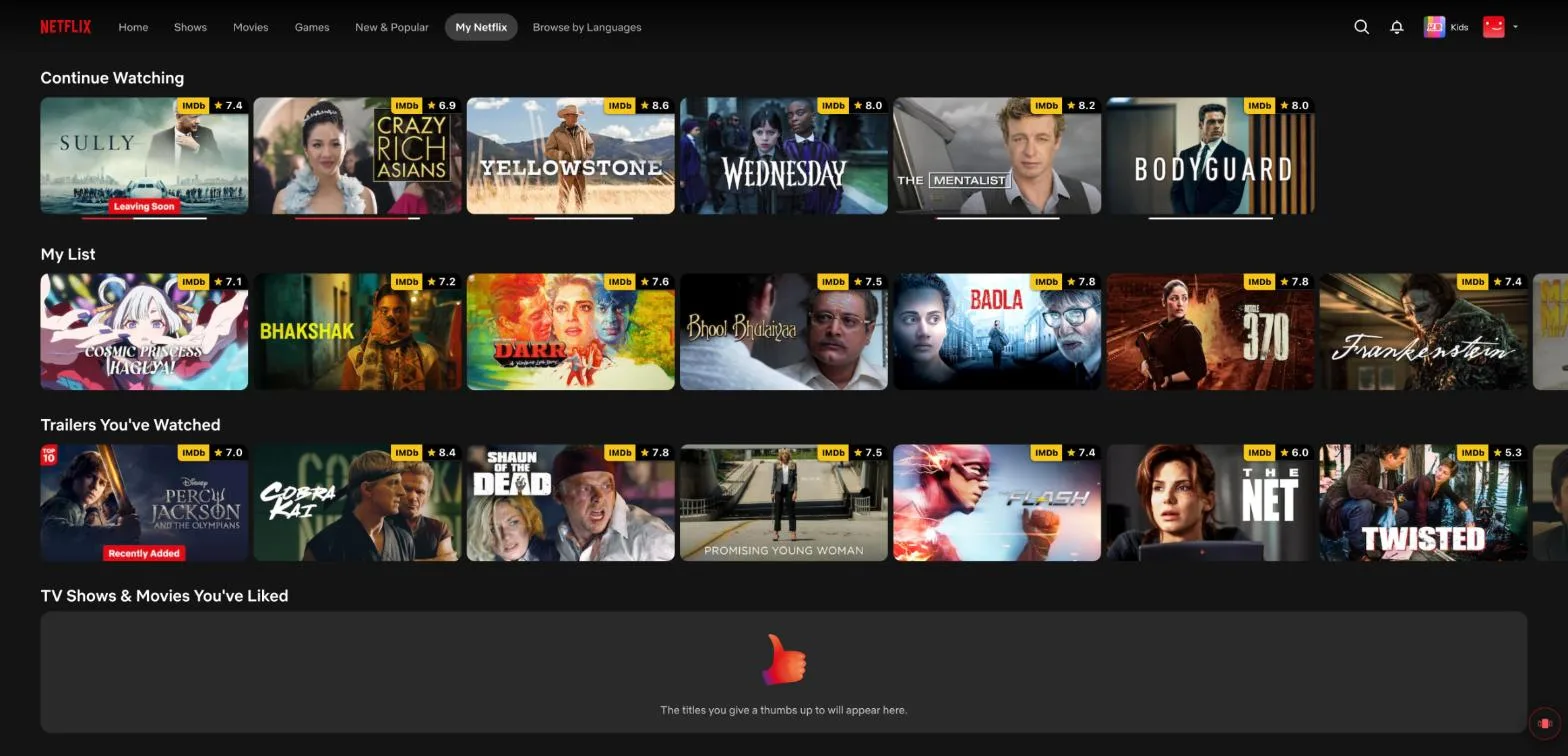
Around September 15, 2026, people opening Netflix on a computer found the My List page gone. The menu item that used to say My List now says My Netflix. It opens a page of rows: Continue Watching, then My List, then Trailers You've Watched, then the titles you have given a thumbs up.
Your saved titles are still saved. But My List is now one row, and you see a handful of titles at a time, moving sideways with the arrows at each end. The old page showed the whole list as a grid you could scroll down.
Why people are unhappy
The r/netflix thread about the change has been running for three weeks. The complaints come back to the same few things:
- A long list cannot be seen at once. With a hundred titles saved, a row that shows seven means a lot of clicking to find anything.
- Sideways scrolling is awkward on a computer, with a touchpad or a mouse, and harder still for people with limited hand movement. Some have filed it with Netflix as an accessibility problem.
- It is harder to see what is leaving. People used the full page to spot titles about to leave Netflix and watch them first.
- My List now shares a page with other rows, such as trailers you have watched, which people did not ask to see there.
Several people say they have thought about cancelling over it. People who contacted Netflix's support report being told the feedback would be passed on, and that there is no setting to switch back.
Your options
As of October 6, 2026, Netflix has not brought the old page back. On a computer, you have three ways to work with a long list:
- Use the row and search. Scroll the My List row with its arrows, or search Netflix for a title you know you saved.
- A userscript. People in the thread have shared scripts that lay the row out as a grid. They need a userscript manager such as Tampermonkey, and you are trusting whoever wrote the script with your Netflix page.
- A browser extension. Extensions from the Chrome Web Store can show the whole list. Mine is one of them, described below, and there are others.
The one I built: TidyWL for Netflix
I built TidyWL for Netflix (on the Chrome Web Store as Watch Later Tidy for Netflix) before this change, because Netflix's My List already had no folders, no search and no way to remove more than one title at a time. Since the change it also does the thing people are asking for: press Alt+L on any Netflix page, and every title on your My List appears as a card in one grid.
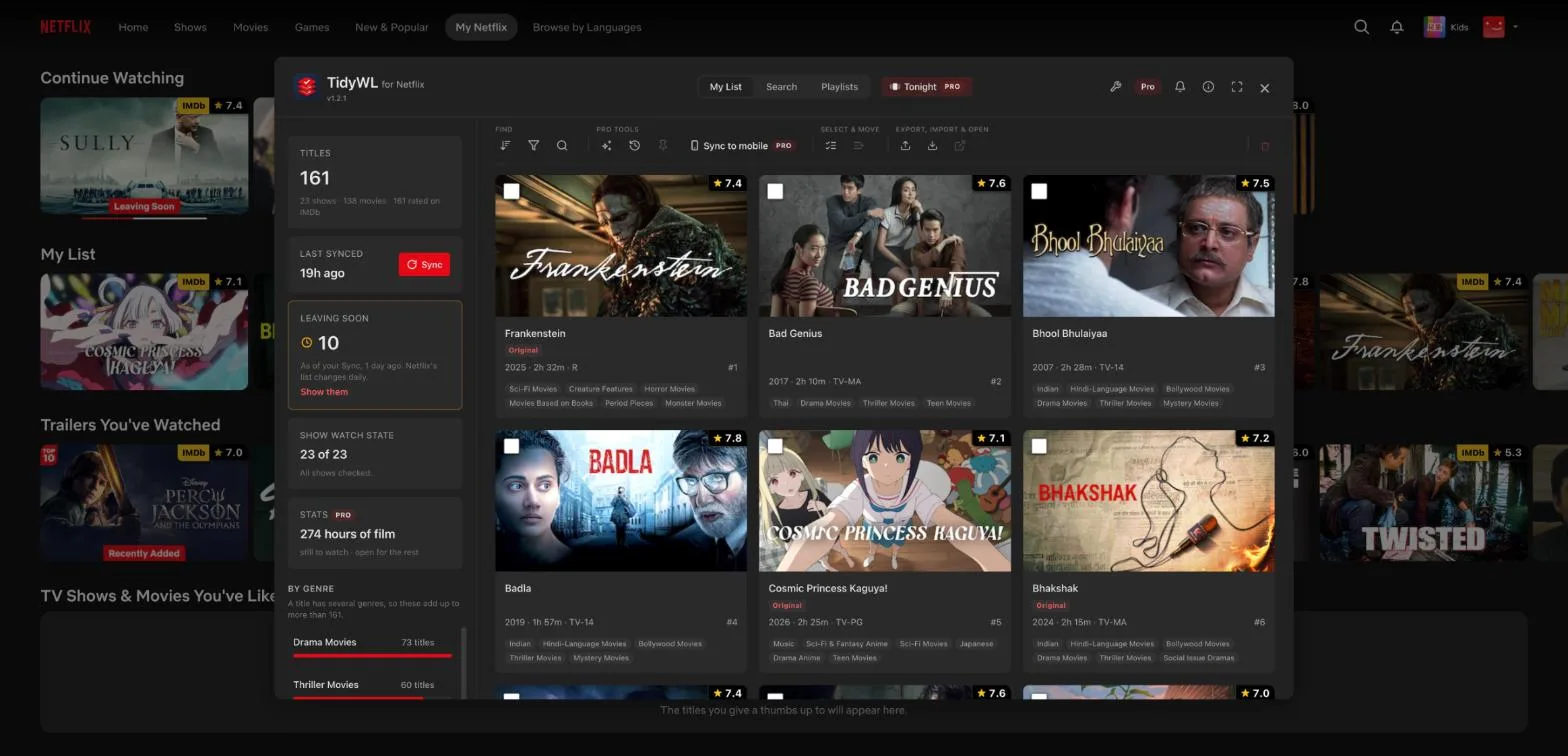
Each card carries the IMDb rating, the year, the runtime and the genres. Sync marks the titles Netflix is about to remove, with Netflix's own last-day sentence, so the "what's leaving" check is one click. You can filter by genre, type, rating, runtime or whether you have watched it, and sort by rating, runtime, year or title. All of that is free, with no account. It runs in Chrome on a computer, not on phones or TVs, and it is not made by or affiliated with Netflix.
Step by step: How to see your whole Netflix My List again.